
PAX Nav
ReedPop MobileEvents
3.845.00 Reviews
- Version
- 6.1.2
- Installs
- 50.00K
- Age Rating
- Everyone
Screenshots
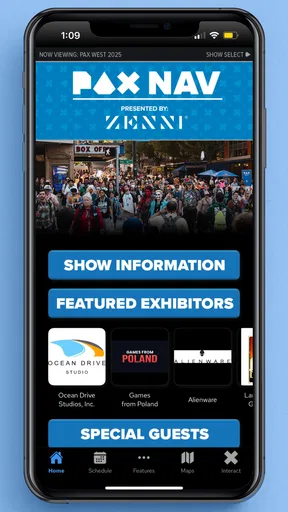
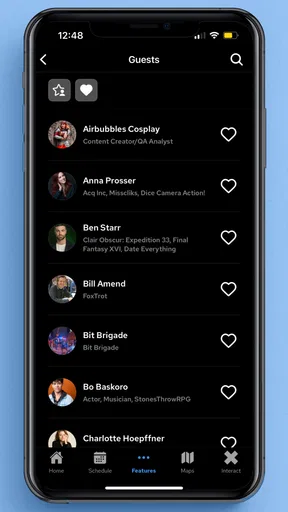

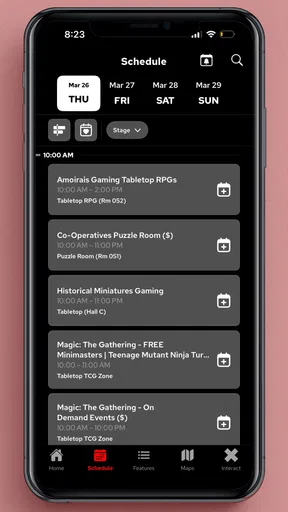
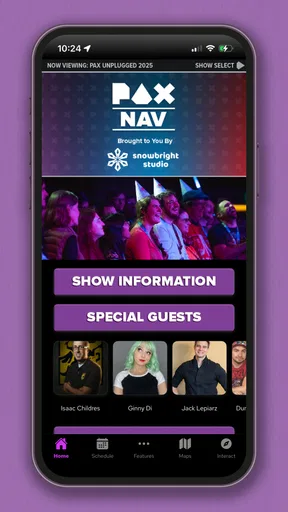
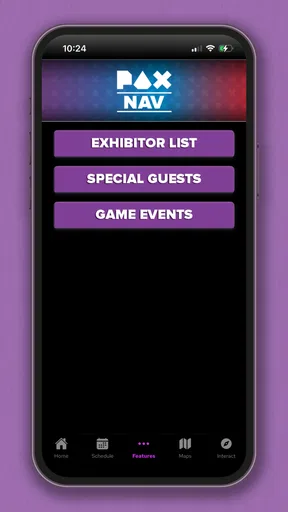
Our Review of PAX Nav
 Analysis by Appyee
When I use PAX Nav, I think of it less as a general event app and more as a practical companion for getting through a busy convention day. It is the official event app from ReedPop Mobile, built for people who need event information close at hand while moving between activities, rooms, queues, and meeting points. That focus is useful, but it also means its value depends heavily on how clearly you can read and operate it in a crowded, distracting environment.
My overall impression is positive but measured. The app is free, aimed at Everyone, and available for devices running Android or iOS versions ten and above. Its current version is 6.1.2, and it has passed the fifty-thousand-install mark, with a 3.6 average from roughly seventy-five ratings. Those figures suggest a reasonably established companion rather than an obscure utility, although the rating also reflects that an official event tool can be helpful for one person and frustrating for another.
How PAX Nav holds up in real event conditions
When I judge PAX Nav in real event conditions, I focus on whether it can help me make the next decision without demanding too much attention. A crowded venue changes what “easy to use” means: even a quick check can be awkward if I wait until I’m moving or surrounded by people. I’d prepare a few priorities in advance, then see how that habit shapes the day that follows.
Readable information matters more than visual polish
The first thing I look for in an event app is whether I can understand it quickly without stopping for a long inspection. At a convention, I may be walking, carrying a bag, talking with friends, or trying to make a session on time. An app that forces me to decode dense screens becomes a problem even if it contains the right information. PAX Nav works best when I treat it as a quick reference: open it, find the relevant event detail, check the next decision, and put the phone away.
The official status is important here. An unofficial schedule viewer may be simpler, but it can leave me comparing screenshots, social posts, or saved notes from different sources. PAX Nav gives me one event-focused place to consult, which reduces that particular kind of confusion. I would still avoid assuming that an app replaces preparation. Before arriving, I would identify the sessions or areas that matter most and use the app to confirm the practical details rather than trying to discover an entire convention from scratch while standing in a hallway.
For readers who use larger text, screen magnification, or a high-contrast setup, the useful test is not simply whether the words appear on screen. It is whether the important distinction between an event title, a location, a time, and an action remains obvious after the display is enlarged. I found that event apps are easiest to use when I focus on one item at a time instead of trying to absorb a full day at once. That approach also helps anyone who becomes overwhelmed by long schedules or visually busy pages.
A small but valuable habit is to review the day in blocks. I would first look at the morning, then the period around lunch, and finally the afternoon or evening. This is more manageable than repeatedly scrolling through everything. It also makes it easier to notice clashes. If two activities are close together, I can decide whether the real plan is to attend one, arrive late to another, or leave extra time for movement. The app is most useful when it supports that decision-making rather than becoming another source of information overload.
Navigation is useful, but it cannot remove convention complexity
PAX Nav’s strongest role is helping me answer “what is happening and where do I need to go?” That is a different job from being a full personal planner. I would not expect it to understand my walking speed, sensory limits, mobility equipment, need for rest, or preference for quieter routes unless the app explicitly presents those choices. The app can organize event information, but I still have to translate that information into a realistic personal itinerary.
That distinction matters for anyone with limited stamina or difficulty changing direction quickly. A schedule that looks perfectly achievable on paper may not be comfortable once elevators, queues, room capacity, crowd flow, and breaks are included. My practical advice is to leave space between selections instead of filling every available time slot. PAX Nav can help me see the appointments I want to consider, but it should not tempt me into planning a day with no recovery time.
It is also worth deciding in advance what I will do if the phone becomes inconvenient. I might keep a short written list of the most important event names and times, or save a few essential details in a format I can read quickly. This is not a criticism unique to PAX Nav; it is a sensible backup for any mobile event guide. Batteries, reception, notifications, glare, and crowded spaces can all turn a straightforward digital plan into a stressful one.
Motor and sensory considerations in a crowded venue
Using a phone at a convention is physically different from using it at home. I may have one hand occupied, be standing in a queue, or be trying to avoid blocking foot traffic. Small touch targets, repeated scrolling, and screens that require precise gestures are more difficult in those moments. I prefer to open the app before I reach a decision point, rather than waiting until I am in the middle of a crowd and need to operate it one-handed.
People with tremors, reduced dexterity, joint pain, or fatigue may find that the number of taps matters as much as the information itself. My workaround is to prepare a short list of priorities and check only those sections. I would also avoid making last-second changes while walking. Stop somewhere safe, steady the phone, and make the change deliberately. That sounds simple, but it prevents an accessibility issue from becoming a navigation or safety issue.
Sensory load is another important part of the experience. A large convention can involve noise, movement, bright displays, announcements, and people passing close by. Even a well-organized app cannot make the venue itself quiet. PAX Nav is therefore most helpful when I use it before entering a high-stimulation area or during a planned break. Checking the next destination in a calmer spot reduces the need to process the screen while the surroundings are already demanding attention.
For users who are sensitive to visual clutter, I would resist the urge to browse every available activity at once. Instead, I would narrow the plan to essential choices, optional choices, and a fallback. The fallback is especially useful: if a room is too crowded or I am too tired, I already know what I can do next. This is one of the app’s less obvious benefits. It does not need to make a perfect itinerary for me to support a more flexible one.
People who rely on spoken feedback or other device-level assistance should test the app before the event rather than waiting until arrival. The phone’s own accessibility tools can help, but the experience depends on how the app presents its controls and text. I would check whether I can reach the information I need comfortably, whether labels make sense when read aloud, and whether enlarged text still lets me identify the relevant actions. That short test is more useful than assuming that an official app will automatically suit every access method.
Situational access: when the app helps most
The clearest everyday scenario is arriving with a small group that has different priorities. One friend wants a particular activity, another wants to explore, and I need to know where we can meet without spending ten minutes exchanging messages. I can use PAX Nav to orient myself around the event plan, agree on a practical meeting point, and keep the group’s choices visible. The app does not solve every coordination problem, but it is more convenient than relying entirely on memory.
It is also helpful for a first-time visitor who does not yet understand the shape of the event. Instead of treating the whole convention as one enormous list, I can use the app to build a loose route: one important destination, a break, another destination, and time for unplanned discovery. This approach is kinder to people who need predictability without wanting every minute controlled.
For someone who has difficulty with time estimation, the app can serve as an external reminder of the day’s structure. I would not use it as the only safeguard, because event conditions can change and the phone may not be convenient to check. A separate alarm or calendar reminder may be better for a genuinely time-critical commitment. PAX Nav is strongest for seeing the event context; another tool may be stronger for prompting me at a precise moment.
There is a similar trade-off for people who prefer paper. A printed schedule or handwritten plan can be easier to glance at, annotate, and share, especially when phone use is tiring. The digital app wins when I need to adjust my plan or consult official event information in one place. The paper alternative wins when battery anxiety, screen glare, or repeated touch interaction is the main obstacle. I would use both if the event matters enough to justify a backup.
Users who have limited data access, inconsistent connectivity, or a device that is close to full storage should prepare before leaving home. I would open the app in advance, explore the parts I expect to use, and avoid depending on a first-time setup in the busiest area of the venue. I would also keep the phone charged and carry a simple written note with the day’s non-negotiable details. These steps are not glamorous, but they make the app much more dependable in practice.
Where the experience still creates friction
The main limitation is that an official event guide can tell me what the event offers without fully explaining how accessible each choice will feel for me. A room name does not automatically tell me how far it is from the previous activity, how crowded the route may become, or whether I will find a comfortable place to pause. I still need to make those judgments from my own needs and, when necessary, ask staff for current on-site guidance.
Another barrier is the difference between information access and physical access. Finding an activity in the app does not guarantee that reaching it will be easy. Someone using a wheelchair, cane, walker, or mobility scooter may need more than a destination label. Someone with chronic pain may need realistic spacing. Someone with anxiety may need a clear exit plan. PAX Nav can support planning, but it should not be mistaken for a personal accessibility assessment of the venue.
There is also a risk of overplanning. Because an event app puts many possibilities in front of me, I can create a schedule that looks exciting and proves exhausting. I recommend choosing a few anchors and treating everything else as optional. If I miss an activity, that should be a change of plan, not evidence that the day failed. The app becomes more supportive when I use it to protect flexibility rather than maximize attendance.
The modest average rating of 3.6, based on around seventy-five ratings and about thirty reviews, is a useful reminder to keep expectations realistic. I see PAX Nav as a specialized event companion, not a universally polished accessibility tool or a replacement for every other planning method. Its free price makes it easy to try, and its Everyone age classification makes it broadly approachable, but those points do not remove the need to test it against personal requirements.
People who only want a simple static schedule may prefer a browser page, a screenshot, or a printed handout. Someone coordinating several people may prefer a calendar app or group messaging alongside PAX Nav. Someone who needs detailed route planning may need a dedicated map or accessibility service. The official app is the better choice when I want event-specific information in a mobile format; it is not automatically the best single tool for every need surrounding a convention visit.
Who should use it and how I would prepare
I would recommend PAX Nav to attendees who want an official starting point for organizing their convention day, especially first-time visitors and people who dislike switching between scattered event posts. It is also a sensible choice for groups that need a shared reference for activities and meeting plans. Since it is free, there is little reason not to install it if the event it supports is relevant to you.
I would be more cautious if my access needs depend on very specific presentation details, precise route information, or a highly predictable low-stimulation experience. In that situation, I would test the app early, keep another planning method available, and contact event staff for questions the app cannot answer. If I already know that scrolling, small controls, or frequent phone interaction cause problems, a simplified written plan may be more comfortable than relying on the app throughout the day.
My preparation routine would be straightforward. I would install the current release, open it before traveling, identify the few activities I care about most, and write down their essential details. Then I would create generous gaps, choose a meeting point that everyone can remember, and decide what I will do if I need a quiet break or miss a planned activity. Finally, I would check the app’s readability with my usual device settings, including any text enlargement or spoken assistance I depend on.
This workflow reveals the app’s real strength: it gives me a central event reference while leaving room for personal judgment. The trade-off is that I have to do that judgment myself. PAX Nav can reduce information hunting, but it cannot know whether my energy, senses, mobility, or attention will cooperate with a packed schedule.
My inclusive verdict
After using it as an event companion, I see PAX Nav as a useful and sensible download for the people it is meant to serve. ReedPop Mobile has created something that can make a convention easier to approach, particularly when I use it before the crowds arrive and keep my plan intentionally light. Its official focus and free access are meaningful advantages, and the app’s current version shows that it remains an active tool rather than a forgotten listing.
Still, I would not describe it as a complete answer to inclusive event planning. The most important accessibility decisions remain personal: how much walking I can manage, how much noise I can tolerate, how long I need to pause, and which information format lets me act without strain. The app supports those decisions best when I combine it with device accessibility settings, a backup note, flexible timing, and direct questions to staff when needed.
My recommendation is to use PAX Nav as the event’s information hub, not as your entire accessibility plan. If you want a practical way to check activities and organize a realistic day, it is worth trying. If you need detailed guarantees about routes, sensory conditions, or individual accommodations, pair it with another planning method and allow more time than the schedule initially suggests. That balanced approach lets the app do what it does well while protecting you from the frustrations it cannot solve.
Privacy and Permissions
See what permissions an app requests and how it handles your data.
- Location
- approximate location (network-based), precise location (GPS and network-based)
- Phone
- read phone status and identity
- Photos/Media/Files
- read the contents of your USB storage, modify or delete the contents of your USB storage
- Storage
- read the contents of your USB storage, modify or delete the contents of your USB storage
- Camera
- take pictures and videos
- Device ID & call information
- read phone status and identity
- Other
- view network connections, pair with Bluetooth devices, full network access, run at startup, reorder running apps, prevent device from sleeping
Verdict
Strengths of PAX Nav
- Clear navigation guidance with route planning and turn-by-turn directions.
- Useful live traffic information helps identify delays before and during trips.
- Public transport options make it practical for daily commuting.
- Search tools quickly locate nearby stops, stations, and destinations.
- Regular route updates can reflect schedule or network changes.
Limitations of PAX Nav
- Coverage and transport data may vary significantly by city or region.
- Some features depend on a stable internet or mobile data connection.
- Traffic and arrival estimates can occasionally be inaccurate.
- The interface may feel crowded when displaying several route options.
- Battery usage can increase during long trips with GPS and live tracking.
Similar Picks in This Category
View All
Easy Quran Mp3 Audio Offline
Muslim Worldapp4.7

Invitation Maker: Cards & RSVP
Greetings Island4.9

StubHub - Live Event Tickets
StubHub4.3

Fever: Events & Tickets
Fever Labs4.7

Epic Freebie Games Radar
Arioch Pds - Apps & Games4.4

Invitation card Maker, Design
Splendid App Maker4.9
Frequently Asked Questions
What is PAX Nav and what can I use it for?
PAX Nav is a navigation and travel-planning app designed to help users find routes, explore destinations, and manage journeys from a mobile device. Depending on the available regional features, it may provide maps, location search, route guidance, traffic or transport information, and useful points of interest. It is best suited to travelers and commuters who want navigation tools in one app.
Does PAX Nav require an internet connection to work?
PAX Nav may require an internet connection for downloading map data, searching for places, receiving updated route information, and accessing live services such as traffic or transport updates. Before traveling, check whether the app supports offline maps or saved routes in your region. Downloading required data over Wi-Fi can also help reduce mobile-data usage while you are on the road.
Is PAX Nav available for both Android and iPhone?
Availability can depend on the country, operating-system version, and the publisher’s current distribution plans. Before downloading, check the official Google Play Store or Apple App Store listing to confirm that your device is supported. It is also important to review the required Android or iOS version, storage needs, and recent user feedback, since compatibility may change after app updates.
Does PAX Nav use my location and personal information?
Navigation apps generally need access to location services to provide accurate directions and nearby search results. PAX Nav may also process information such as searches, saved places, device details, or usage data, depending on its features and privacy settings. Review the app’s permissions and privacy policy before installation, and disable optional permissions that are not necessary for the functions you plan to use.
Is PAX Nav free, and are there any additional costs?
The download and basic features of PAX Nav may be free, but availability of premium tools, subscriptions, advertising, map services, or in-app purchases can vary by platform and region. Mobile-data charges may also apply when using online maps or live navigation. Check the store listing and in-app purchase section carefully before downloading so you understand which features are included without payment.
